projects / mmbl dost app
Mobilink (MMBL) × Ideate
MMBL - designing for a bank people stopped trusting.
A ground-up redesign of MMBL's Dost app, grounded in field research with the lower-income, low-literacy customers who rely on it most, then extended into a full Islamic banking experience.
Client
Mobilink × Ideate
Role
UI/UX Design Lead &
Researcher
Industry
Research · UI/UX ·
Prototyping · User Testing
Year
2024-2025
Tools
Figma ·
The content, design, and insights presented in this case study are the proprietary intellectual property of Ideate Innovation. This work is showcased for portfolio purposes only and may not be copied, recreated, or distributed in any form without the express written permission of Ideate Innovation.
mmbl.dost // app design
the REFRAME.
The brief needed a redesign. The real job was to make people trust it and use it.
Mobilink Microfinance is one of Pakistan's largest digital banks, but a wave of negative feedback was pointing at something a new feature couldn't fix. People didn't trust the app, and a large part of the user base couldn't really use it.
Many of these customers have low digital literacy, low vision, or low numeracy, and some are using a banking app for the first time. So the work wasn't about adding to the app. It was about making it clear, usable and trustworthy for the
people who find banking hardest.
Part one — the conventional redesign
Rebuilding the core app around trust and access.
grounded in research.
20+
interviews with customers & branch
staff
3
locations across Pakistan
10
users in moderated testing (Lahore)
2
benchmarks — Nielsen & WCAG
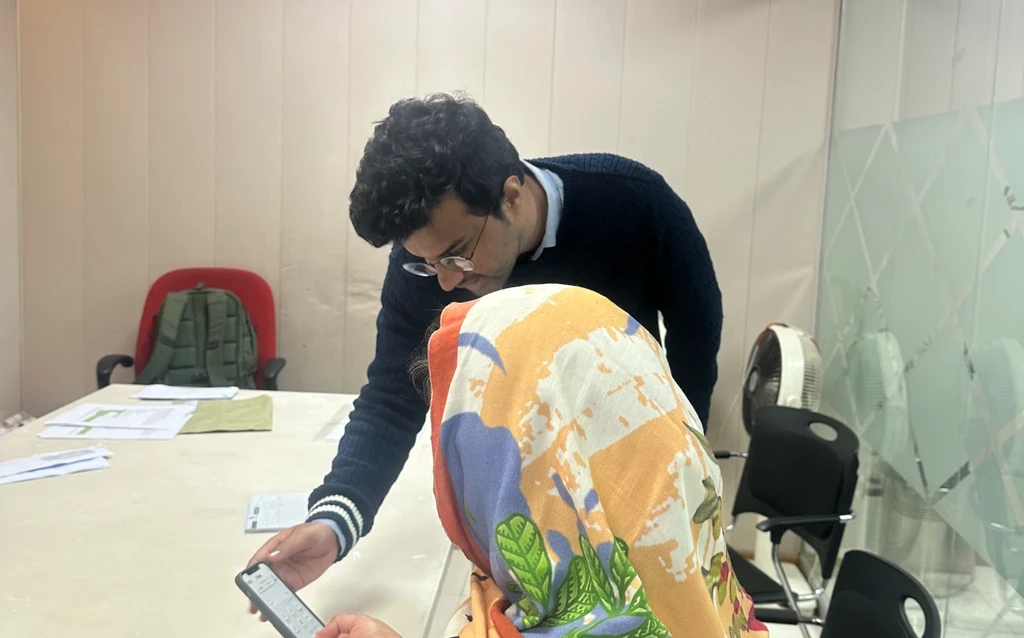
To start off, we ran an internal heuristic audit, interviewed stakeholders, and spent 20 hours testing the app in the field with 15 customers. The same problems came up again and again.
01
Brand confusion
Users had low awareness of MMBL's digital
services and often mistook Dost for JazzCash, so
its own features went unrecognised.
02
App frustrations
People valued high transfer limits and loans,
but hit constant friction in onboarding and
confusing content.
03
Trust & technical issues
Slow OTPs, crashes and unclear errors eroded
trust and pushed users toward competitor apps.
04
Demand for new tools
Strong appetite for digitised loan management,
repayment calculators, installment reminders,
transparent fees.
05
Accessibility gaps
Older and low-tech users struggled with
biometric steps, text readability and icon clarity.
Drop research photos here
Field testing, 15 customers
Drop audit / synthesis here
Heuristic audit & affinity mapping
the call that mattered.
We chose legible over flashy
An early direction used gradient-filled icons and looked modern in a review. On the low-resolution screens and small phones however that most of these customers use, gradients muddy and lose their shape. We moved to flat, high- contrast icons that hold up at small sizes and pass accessibility standards. Less flashy, far more usable.

Explored, not shipped
Gradient icons
Looked modern, but blurred on small low-res screens and dropped below the contrast we needed.
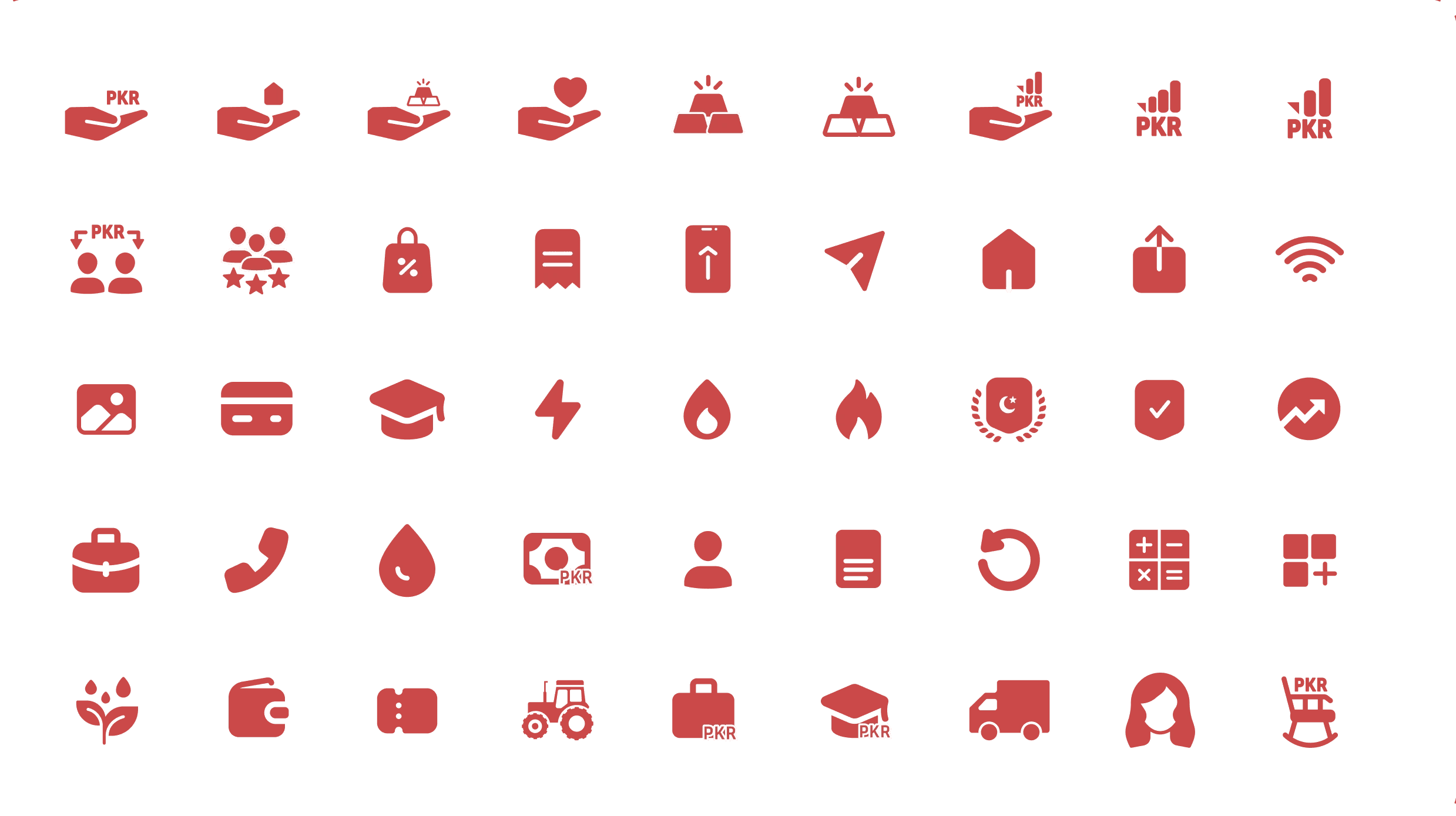
Shipped
Flat & accessible
High contrast, clear at small sizes, and readable for users with low vision.
accessibility, proven.
Accessibility was a constraint we tested against. Every colour pairing was checked for WCAG contrast and assigned a role, high-contrast shades for text and buttons, softer hues for gradients and surfaces.
Terra Red
#C24D4D
Grounded and dependable, for financial
confidence.
Auburn
#A02626
A bold, inviting red that encourages
action.
Deep Cosmos
#5A1919
A warm brown-red adding depth and
reliability.
Saffron Gold
#E6B93D
An optimistic gold for growth and
success.

Contrast tested to WCAG AA/AAA. Real ratios per pairing, with assigned roles.

The shipped pairings. Each combination cleared the standard before it shipped.
tested in the field.
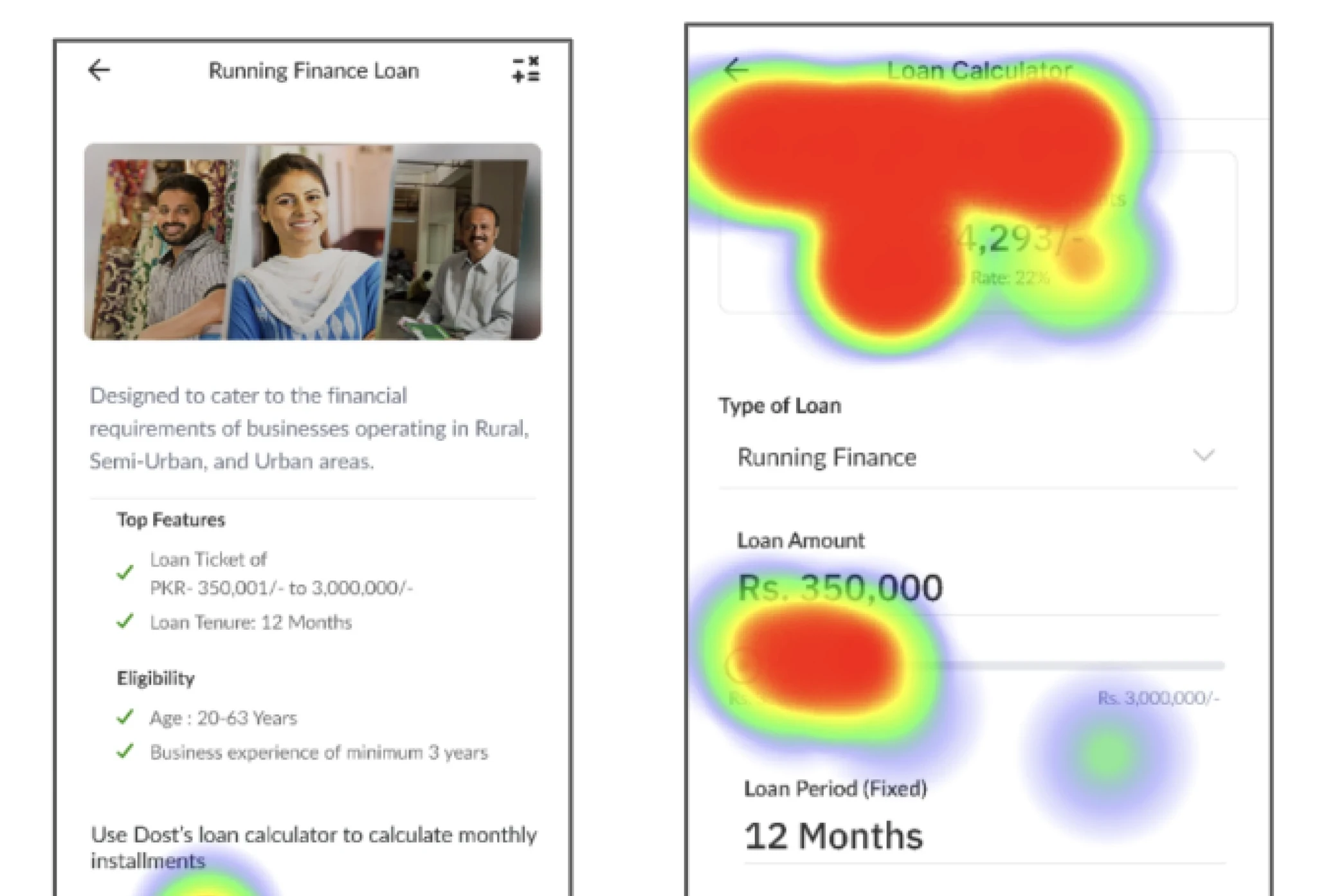
We ran moderated tests on the high-fidelity prototype in Maze with 10 users in Lahore, split across everyday banking and loan customers. The heatmaps showed where attention landed and where it didn't, and confirmed which decisions were working before handoff.
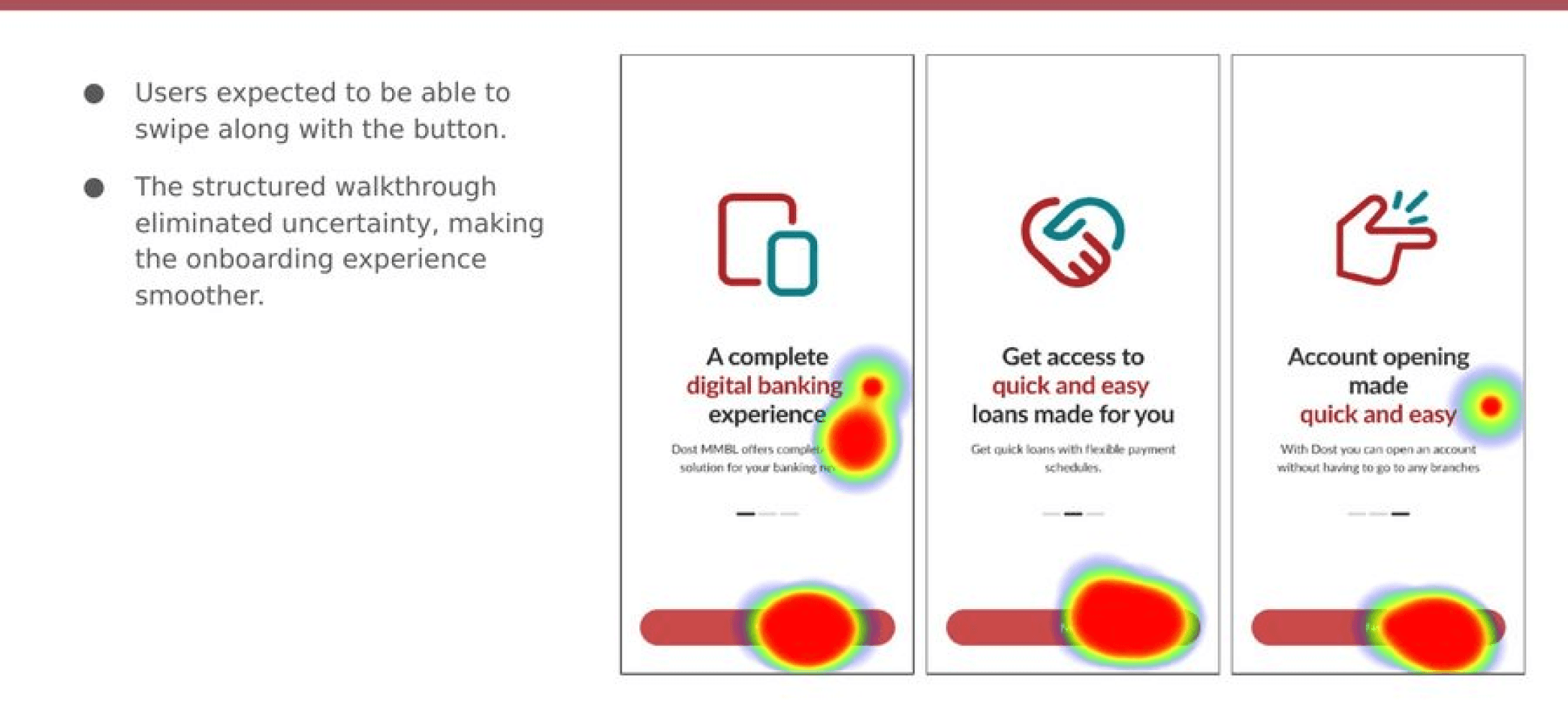
Onboarding. The structured walkthrough removed uncertainty, though users expected to swipe with the button.
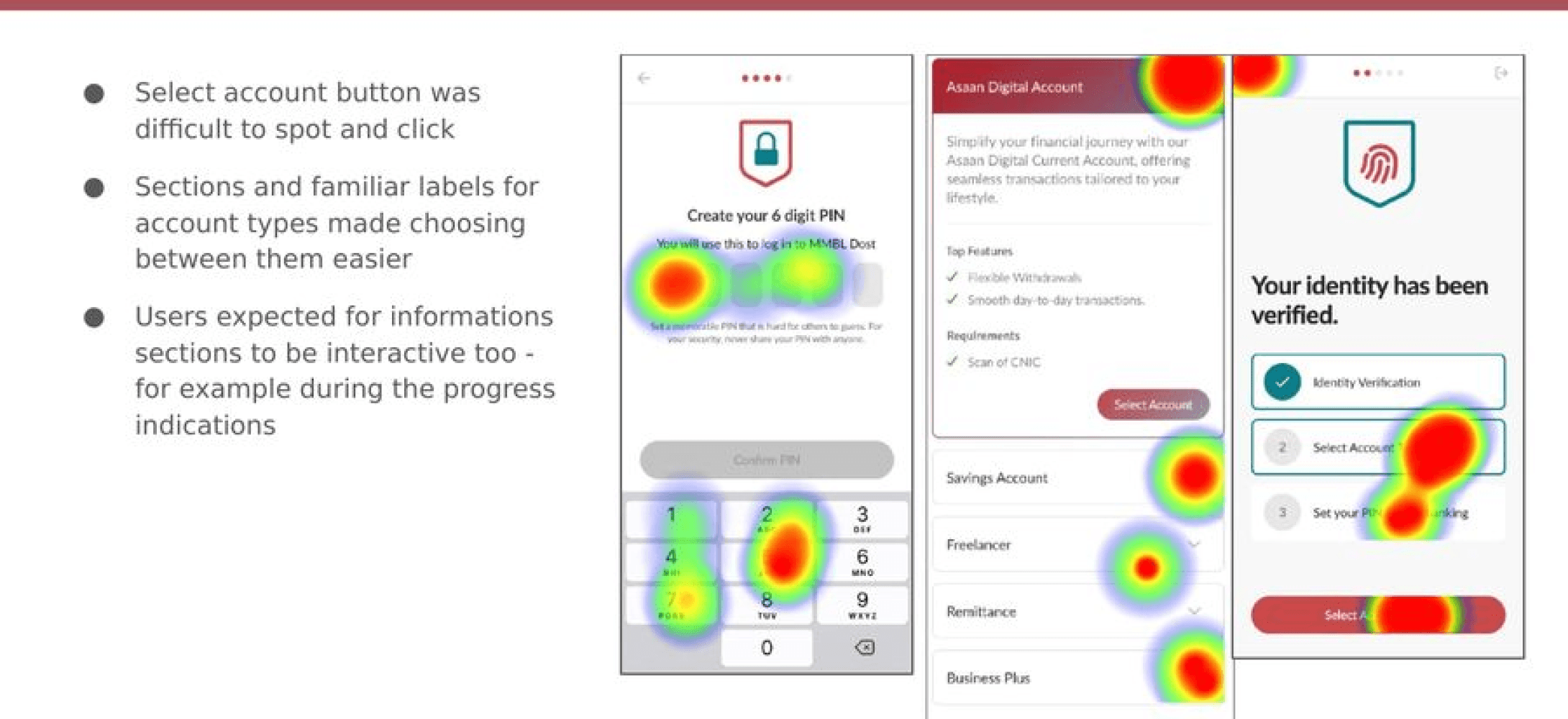
Account opening. The select-account control was hard to spot, so it became a clearer, higher-contrast tick.
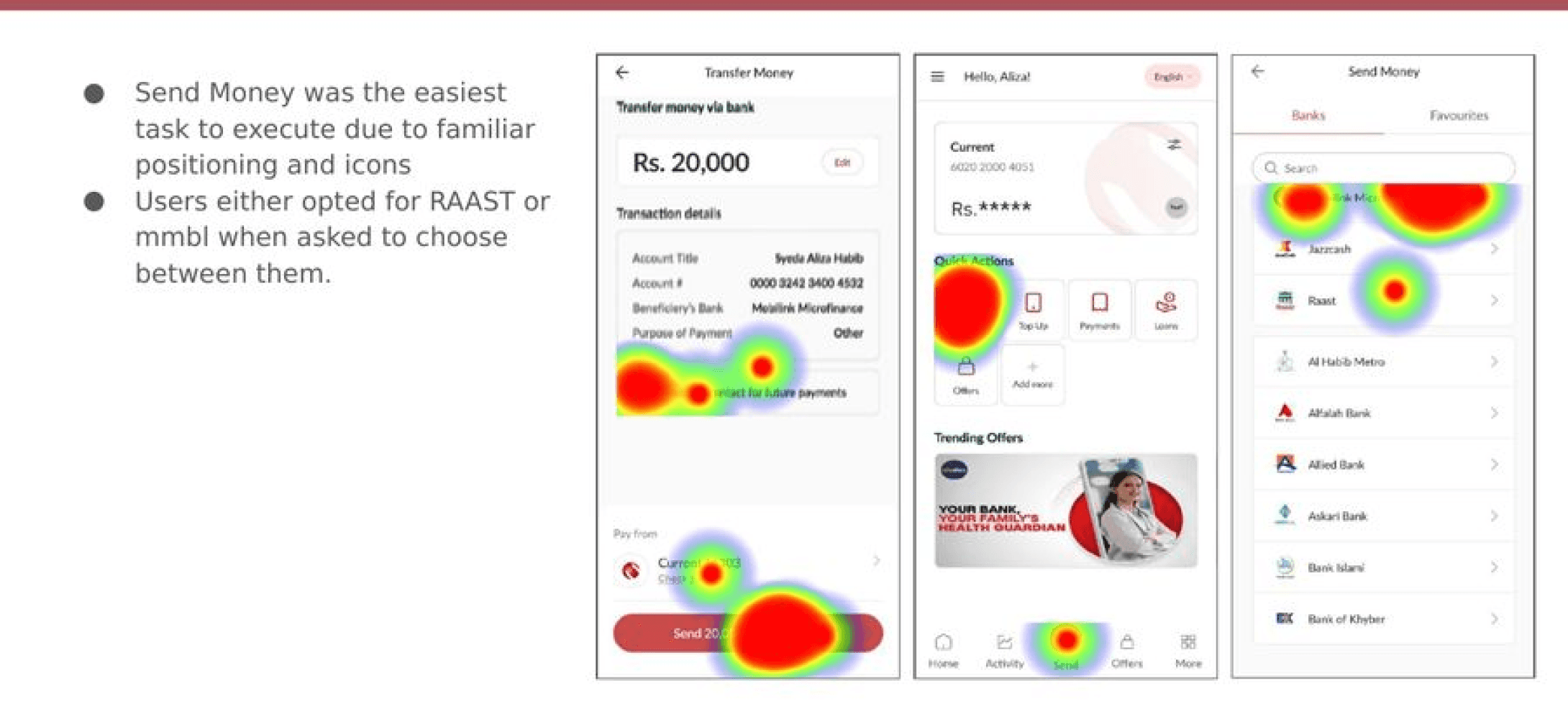
Send money. The easiest task to complete, thanks to familiar icons and positioning.
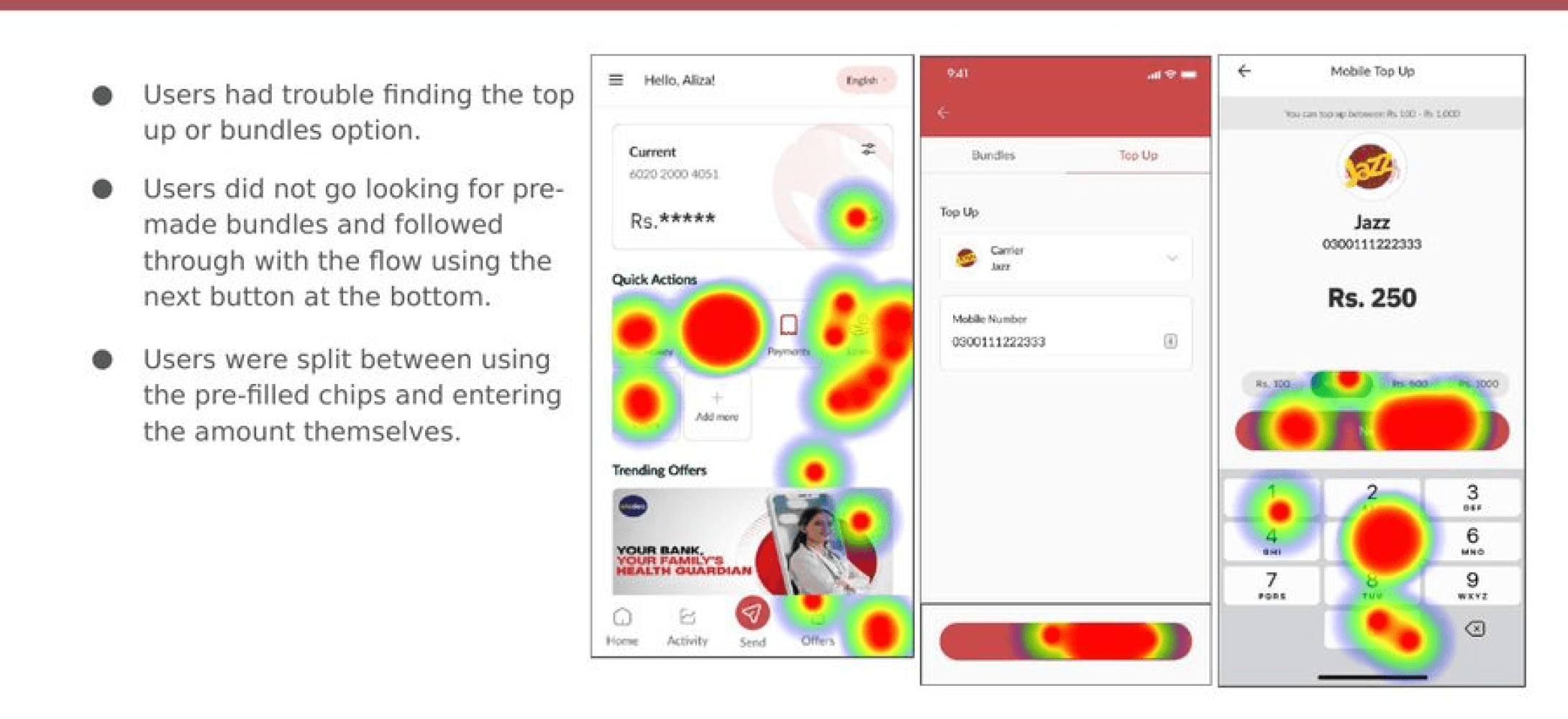
Top up. Hard to locate, which pointed to swapping the label for familiar "Mobile Load /Packages".
from test to fix.
Designing for low numeracy.
the problem
Users with low numeracy couldn't reliably tell 300,000 from 30,00,000, and mistook the monthly installment for an editable field.

Loan calculator. Heatmap from testing: attention stuck on the amount, not the
calculator CTA.
the evidence
Testing showed the long scroll hid the total while the slider moved, and the calculator CTA was ignored entirely.
the fix
We added min and max bounds, made the installment read-only, grouped digits with commas, and reworked the slider to show amount changing clearly.
Part two — one app, two banks
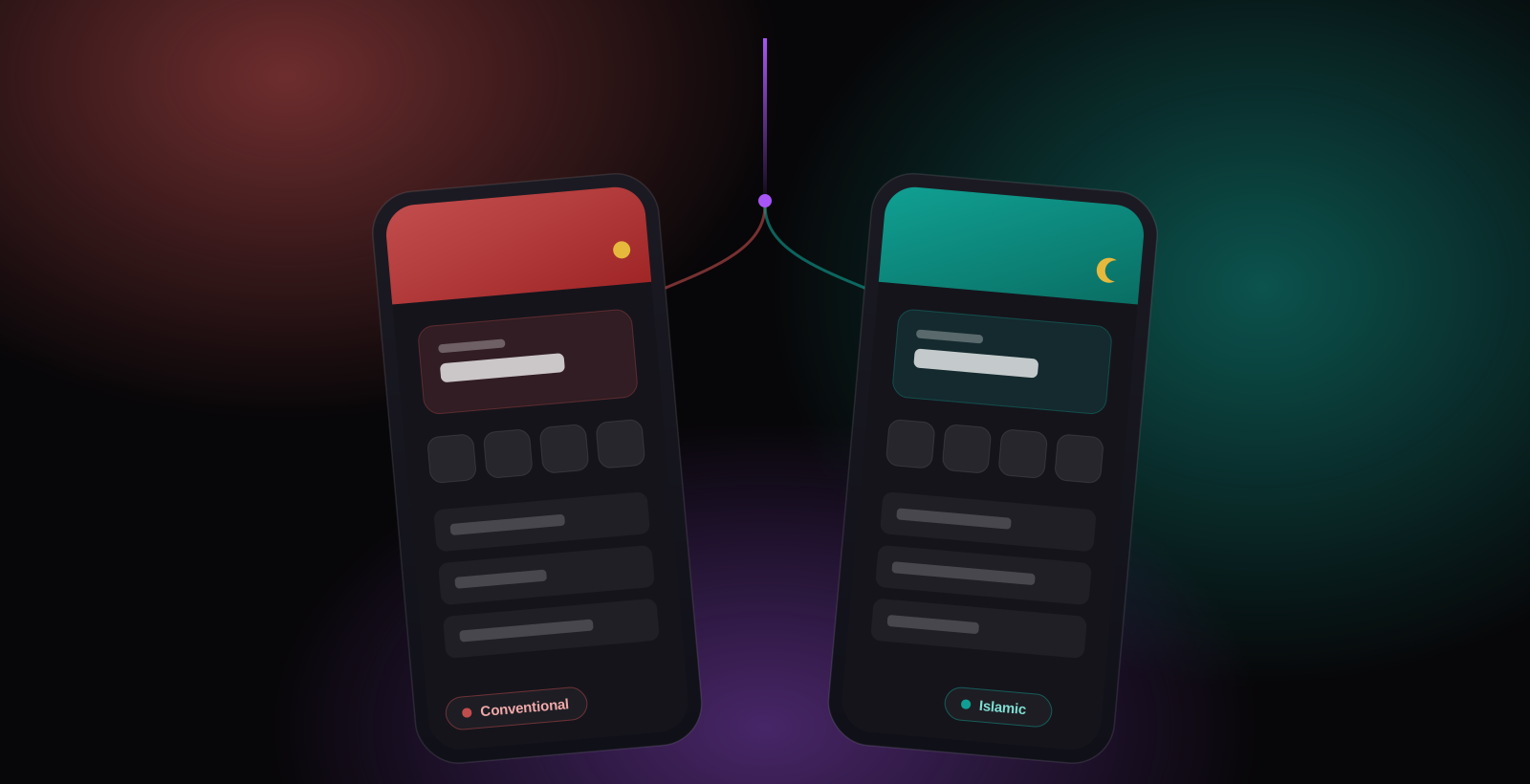
One app, two banks.
After the first release, MMBL brought us back. This time the ask was an Islamic banking experience inside the same app, for customers who bank according to Sharia. That isn't a skin over the conventional version. Interest can't just be renamed, the product set is different, and for many of these customers that difference is the whole reason they bank where they do.
So the first question wasn't visual. It was how the app decides which version of itself to show.
the routing.
Dost
Splash
App checks the account type
one entry point, before anything loads
≡
Conventional account
opens the red experience
≡
Islamic account
opens the green experience
Has both accounts — choose one, switch anytime ⇄
New to Dost — chooses before sign-up
The structure underneath didn't change. We kept the same navigation, the same core flows, the same components we'd already built and tested.
Stayed the same
Navigation & information architecture
Core flows — transfer, top-up, bills
The component library
Patterns tested in phase one
Changed on top
Visual identity — red vs green
Home screen & offerings
The product set
Language around money
two identities.
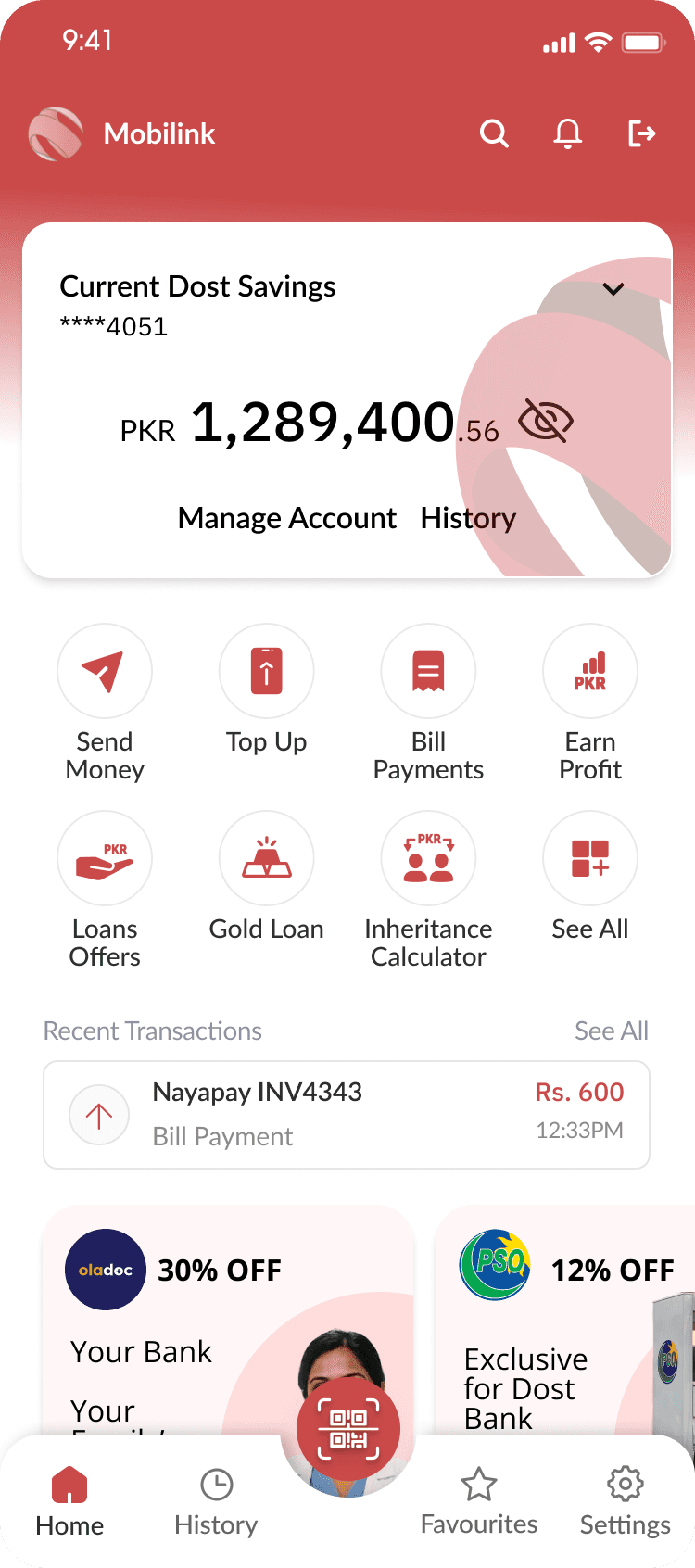
Home
Conventional
Home · Red
Islamic
Home · Green
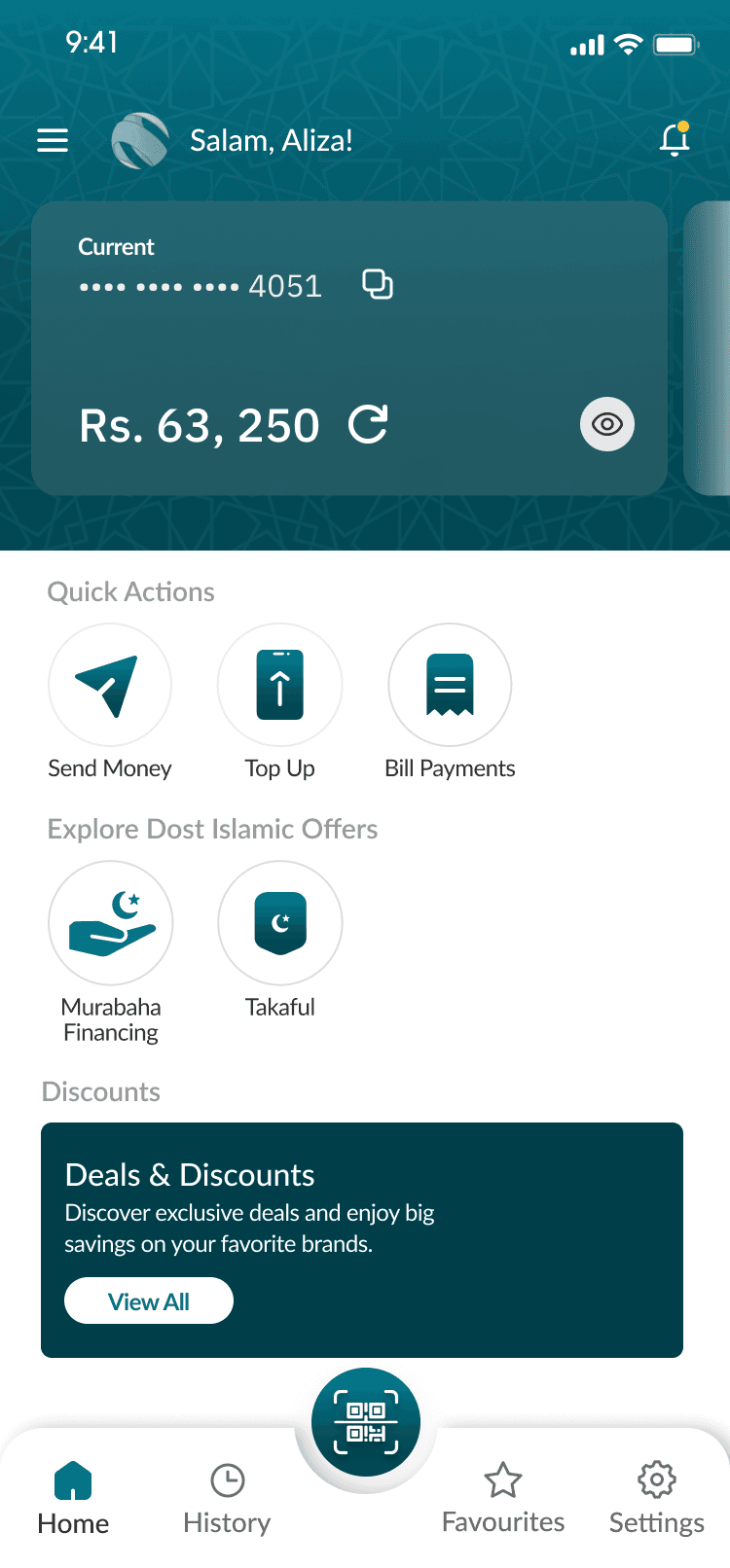
Same structure underneath. Two identities on top.
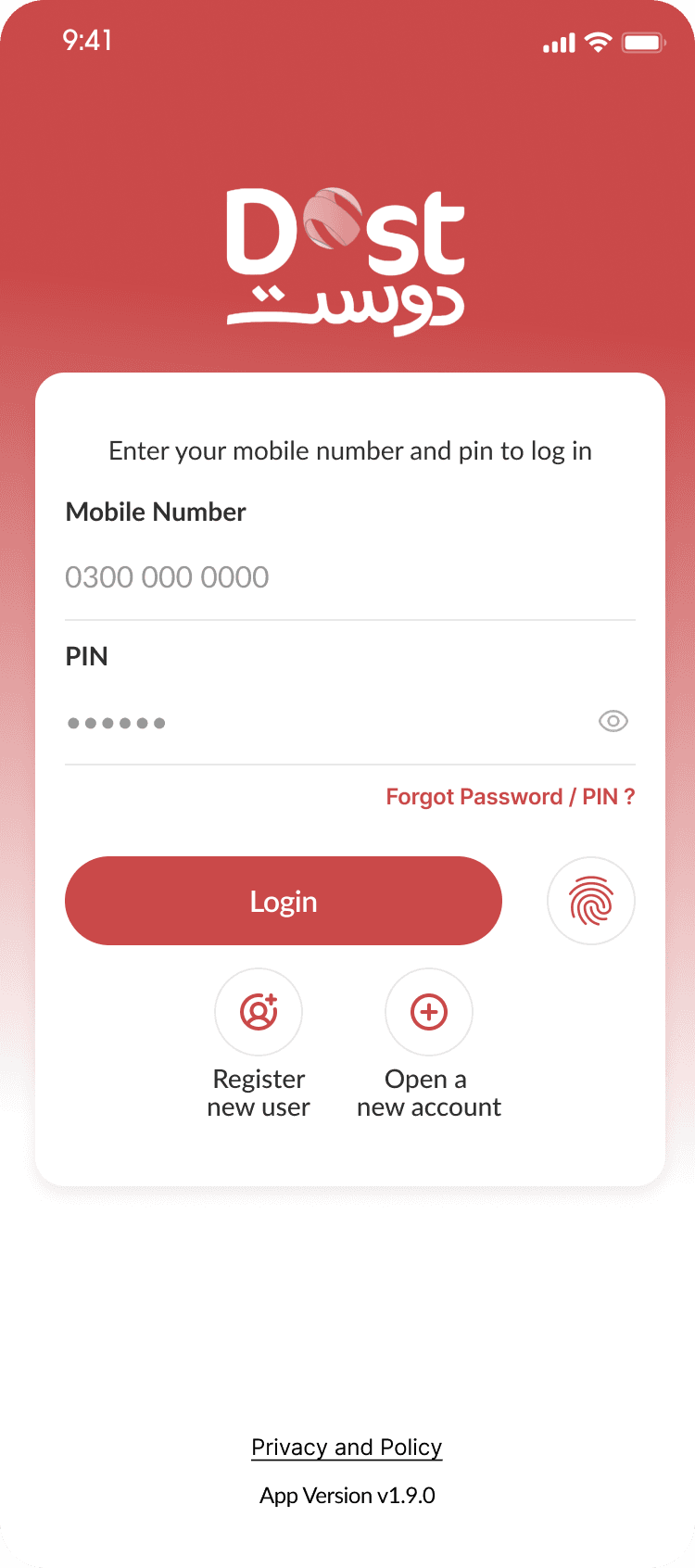
Onboarding
Conventional
Onboarding · Red
Islamic
Onboarding · Green
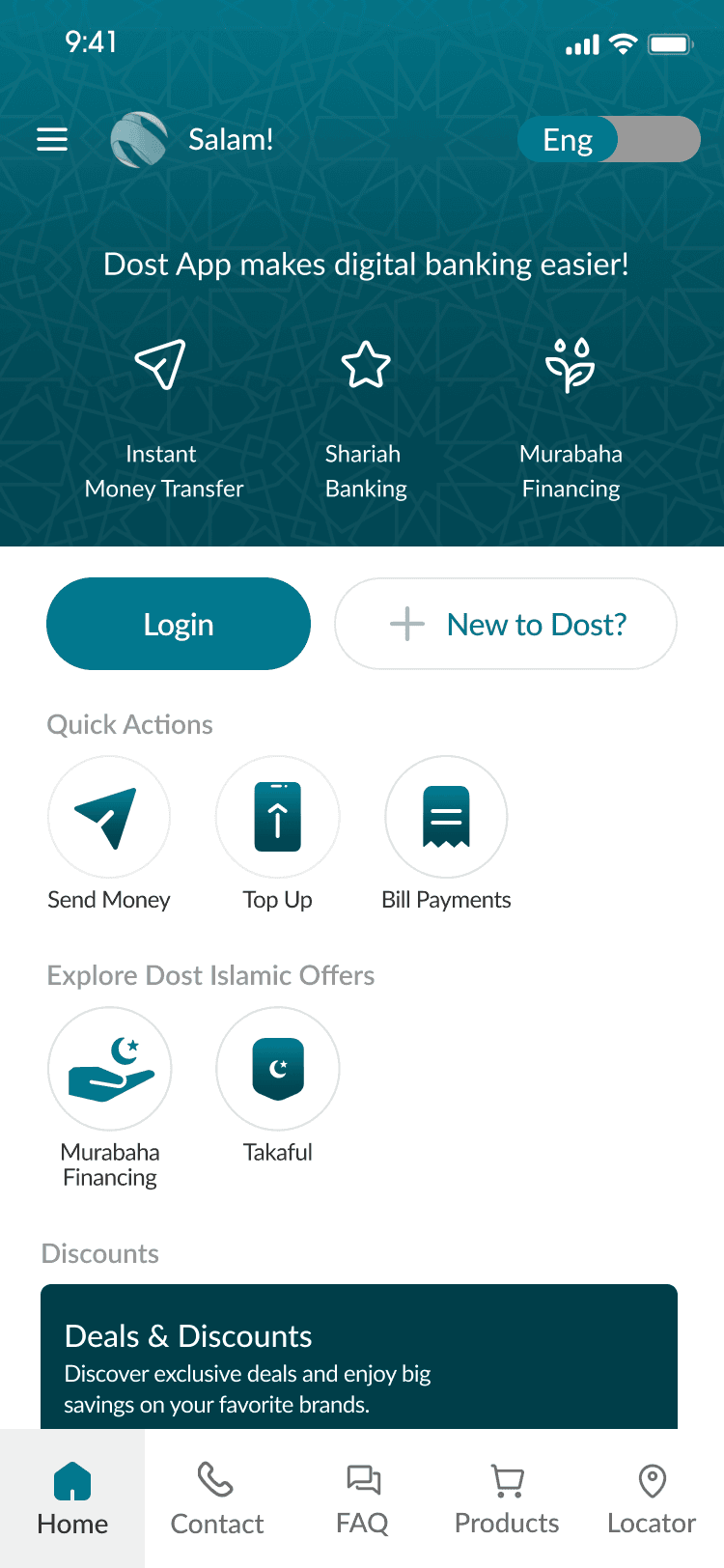
The same journey, told in each customer's own terms.
Real products, not relabelled ones.
Murabaha financing
Takaful
Profit-sharing, no riba
Zakat & Sadaqah tools
Inheritance calculator
Someone opening the Islamic side should recognise it as theirs, not as the regular app with a different name.
the outcome.
A system the bank could build on.
We handed off a documented Figma file with the full design system, components and styles, so the dev team could build it accurately. To close the project, I presented the recommendation report and findings to the CEO and senior leadership.
the shipped app.


© aliza — all rights reserved
Mobilink × Ideate
See something you like or have any questions?
Drop us an email at aliza@ideateinnovation.com