projects / healthops planning platform
HealthOps × Ideate Innovation
A planning platform where every report doesn't just show the numbers — it tells leadership what they mean, and stays current on its own.
the reframe.
01
insight, not decoration
What does it do:
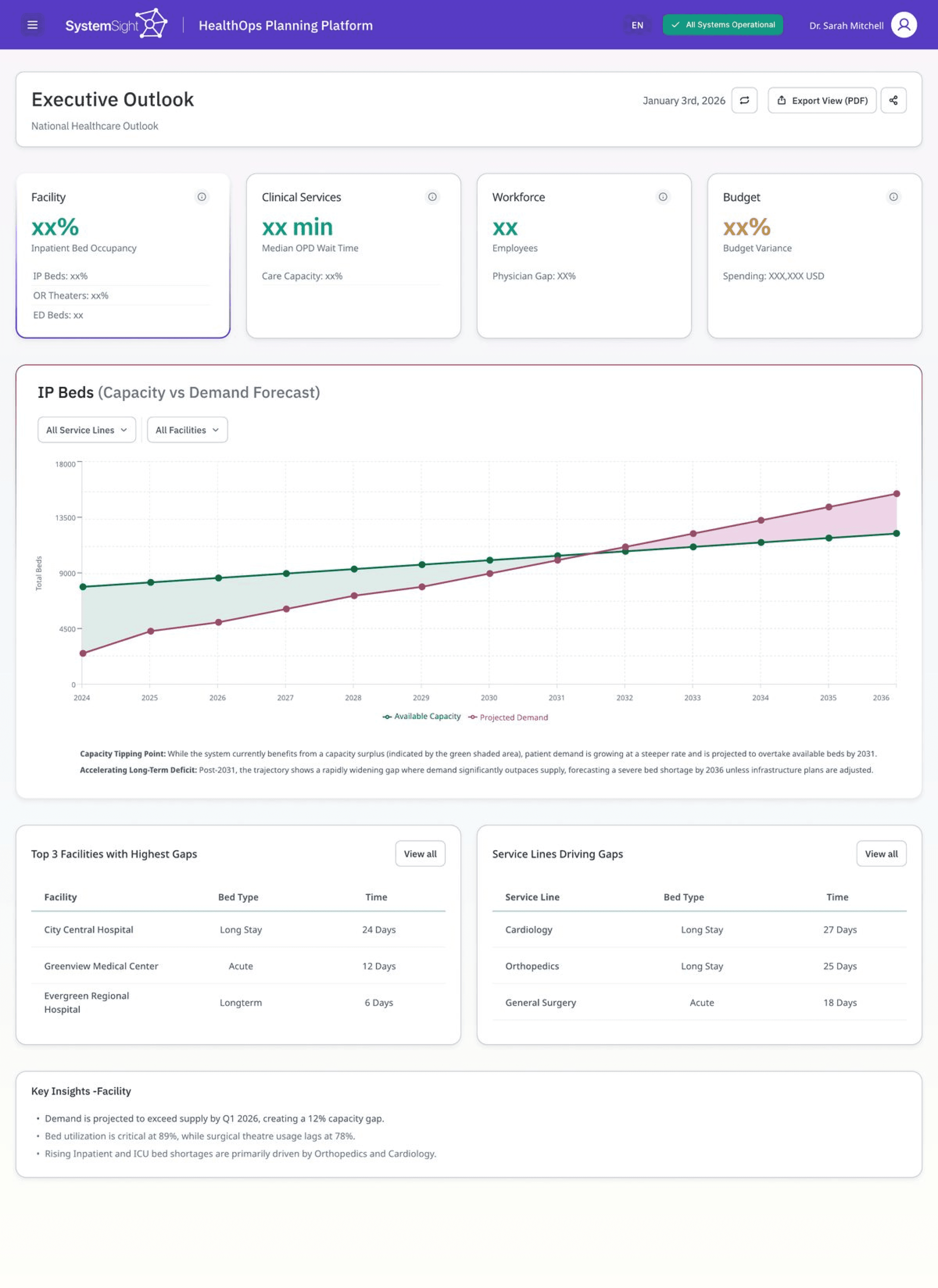
The Executive Outlook is a top-level read on whether the system can meet demand. From here the platform splits into four pillars, beds, workforce, clinical services and budget, each with its own screen.
Decisions:
We led with a single forecast chart instead of a grid of widgets or diagrams, because that projection is what leadership needs before anything else. The graph is interactive, with hover details and the important points marked along the line. Subtle visual cues do the rest of the work: colour-coded points, a defined stroke on the active item, and cards to set one section apart from the next. The key insights below carry the rest of the story in plain language.
1
The forecast chart, front and centre
visibility of system status
2
Marked points indicating hover functionality
recognition over recall
3
Insights written as conclusions, not chart labels
match to the real world
executive outlook · forecast
02
access & wait times
What does it do:
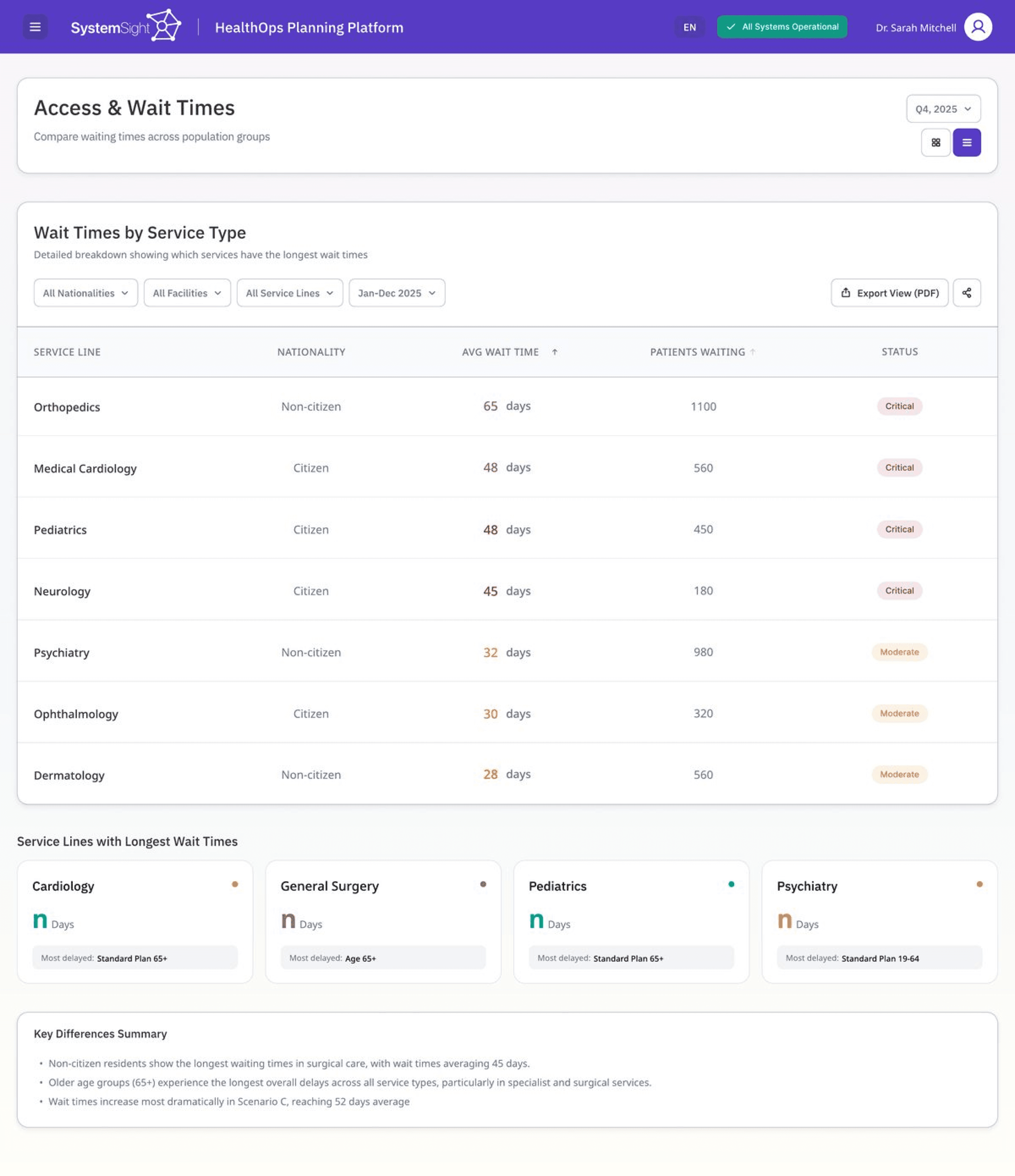
This screen shows how long patients wait across services and facilities. Planners use it to decide where capacity needs to move, so the job is to surface the worst cases fast.
Decisions:
We showed severity as colour rather than a number, so the critical rows register before you've read a value. The table sorts by the longest waits by default, which lets the order do the triage. A short summary under the table names the pattern, so the numbers and their meaning stay together.
1
Longest waits sorted to the top
visibility of system status
2
The colour-coded severity column
recognition over recall
3
The plain-language summary below
match to the real world
access & wait times
03
Reports that stay alive.
What does it do:
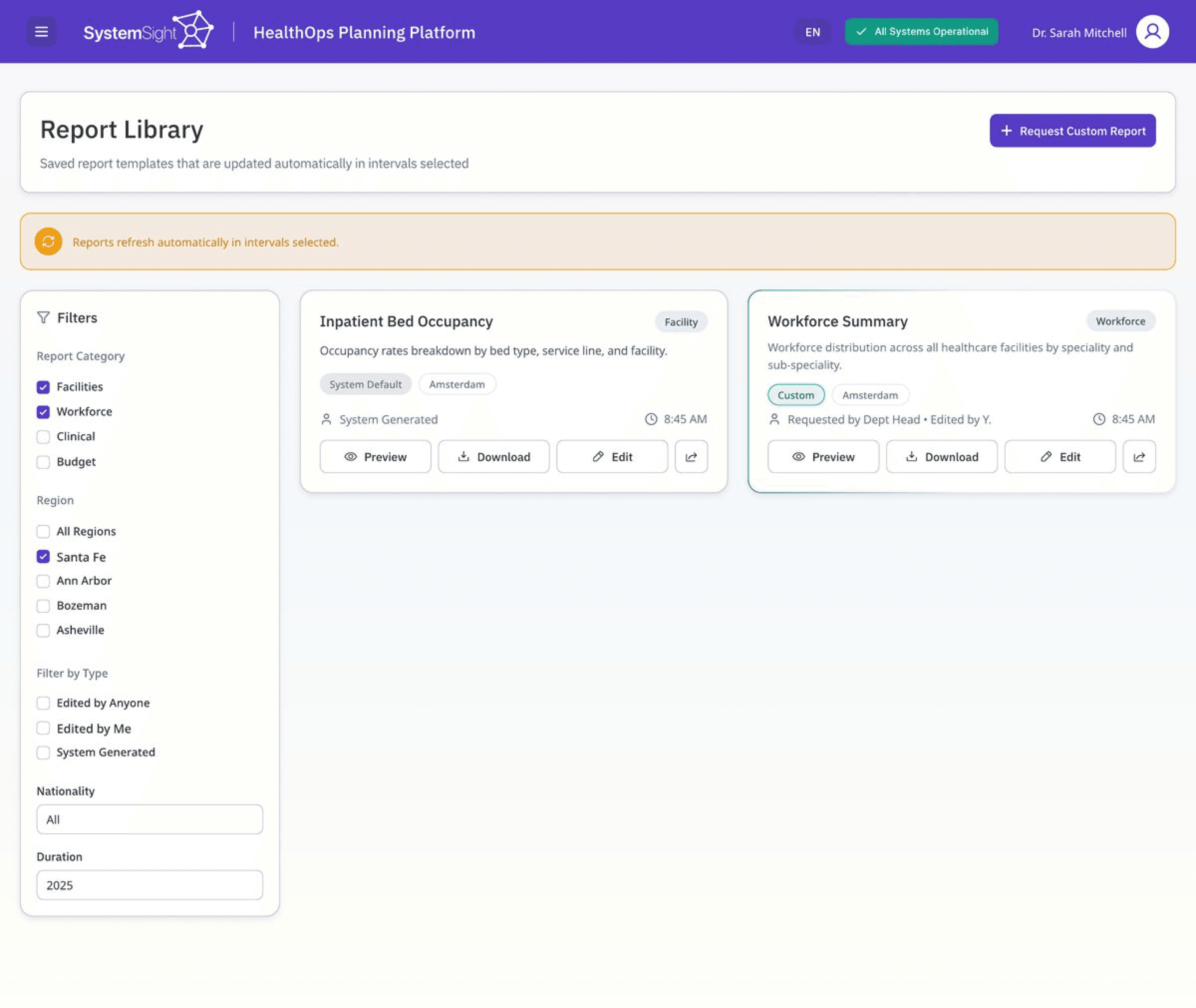
The report library is where teams keep the reports they rely on, both the system's standard ones and their own custom requests. The risk with any reporting tool is that saved reports quietly go stale.
Decisions:
We set the reports to refresh on a schedule and kept that state visible, so the data reads as current instead of something to double-check. System and custom reports look the same and sit on one shelf, so where a report came from never becomes a thing to think about. Filters sit to the left of the content, where scanning starts.
1
The refresh status indicator
visibility of system status
2
System and custom reports on one shelf
consistency & standards
3
Filters placed where scanning begins
match to the real world
report library
1
04
Data quality Hub
High-stakes data organised for clarity
What does it do:
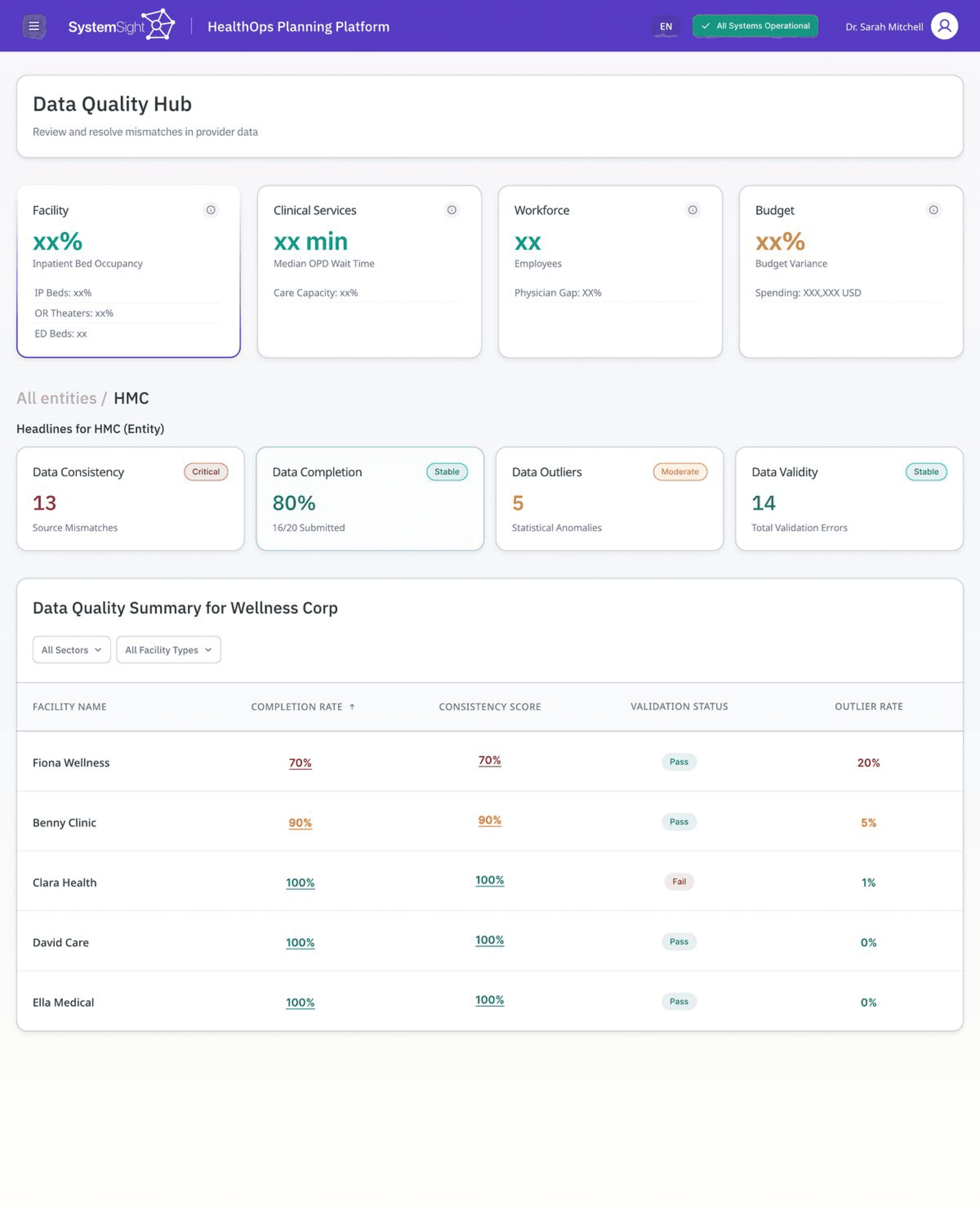
Every number in the platform depends on the data underneath it being clean. This is where teams catch mismatches and validation errors before they reach a report, so the screen carries a lot of dense information at once.
Decisions:
We carried the same status language from the rest of the platform into this screen, so nothing has to be relearned here. Validation reads as pass or fail rather than a score to interpret, so each row resolves at a glance. The layout came out of the client's real brand tokens, rebuilt in Figma.
1
consistency & standards
2
The pass / fail validation column
recognition over recall
data quality hub
1
2
the Outcome.
See something you like or have any questions?
Drop us an email at aliza@ideateinnovation.com